Your agency runs on six tools and a spreadsheet.

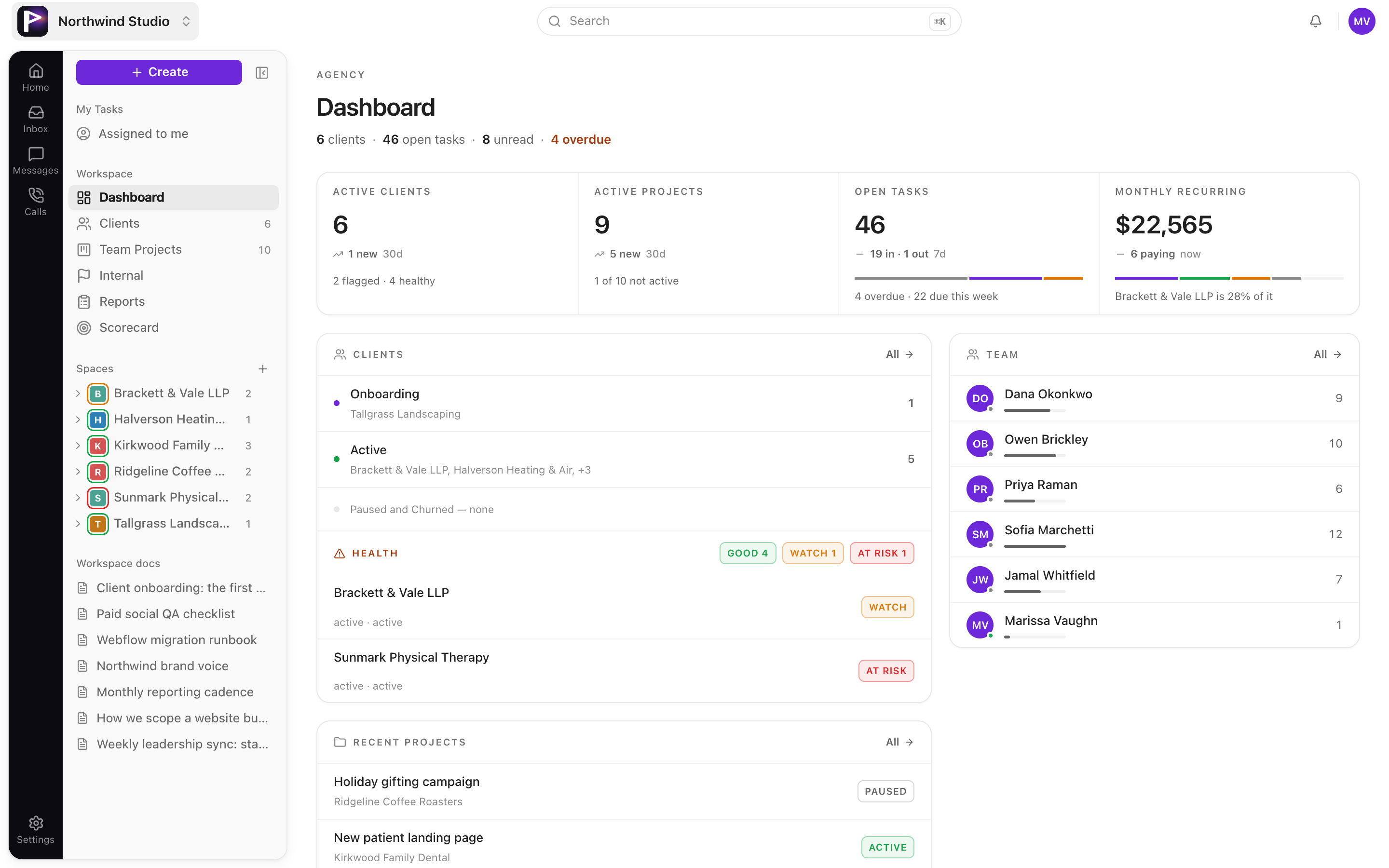
Praxis puts projects, tasks, client portals, docs and KPIs in one workspace. Your logo on it, not ours.

The Praxis dashboard showing active projects, tasks and team activity

Six logins to answer one client question.

One tool for tasks. Another for chat. A third for SOPs. A drive for files. A sheet for the numbers. And email for the client, because there was nowhere else to put them.

Praxis is one login. For your team, and for the people paying you.

The workspace

Everything a project touches, in one place.

Four surfaces your team lives in every day.

Projects and tasks

Table view when you are planning. Board view when you are working. Same data, one click apart.

  • Filter by client, owner, stage, health, or search
  • Edit stage, assignee, priority and due date inline
  • A personal task list that stays separate from the team board
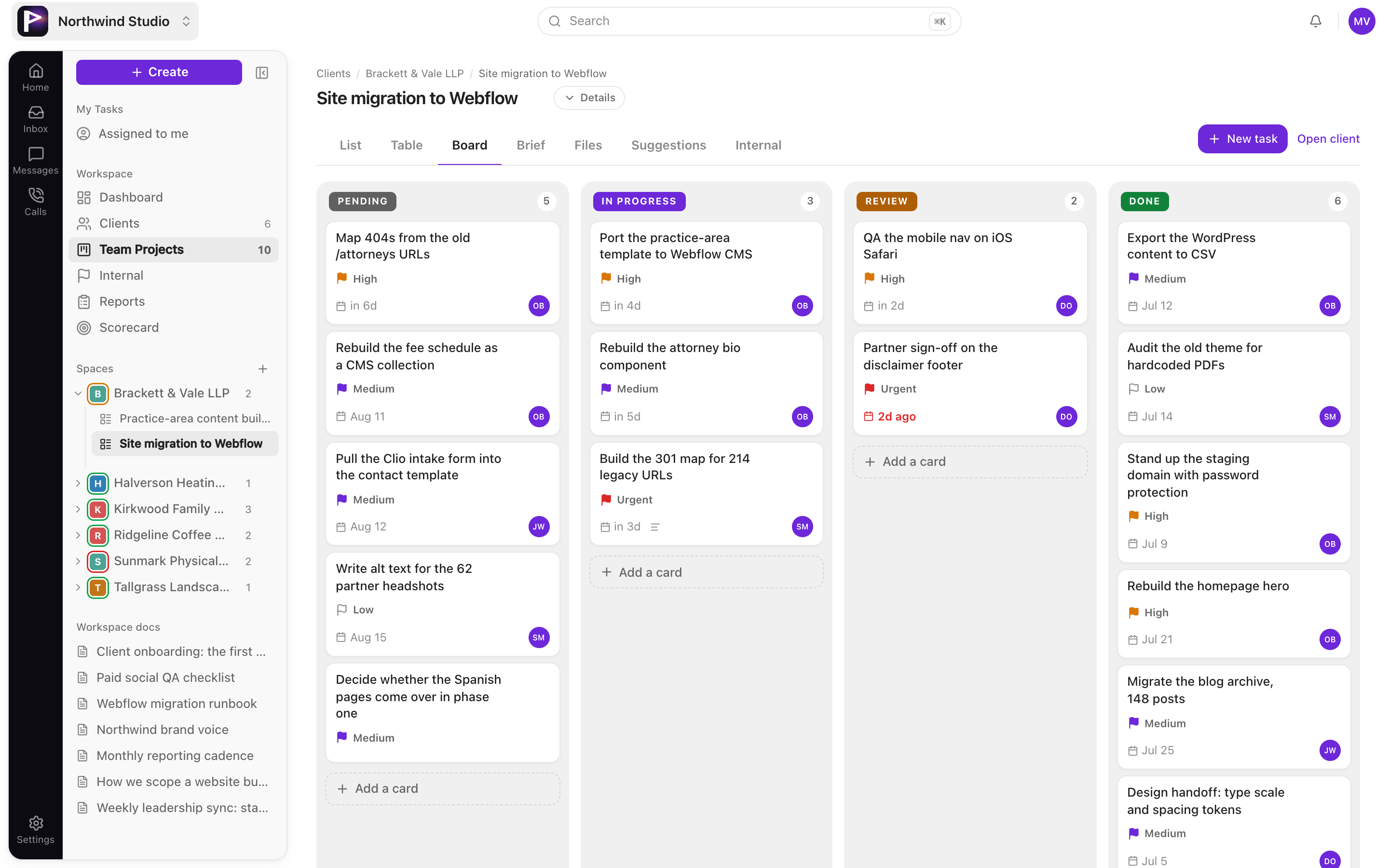
The project board with tasks across pending, in progress, review and done

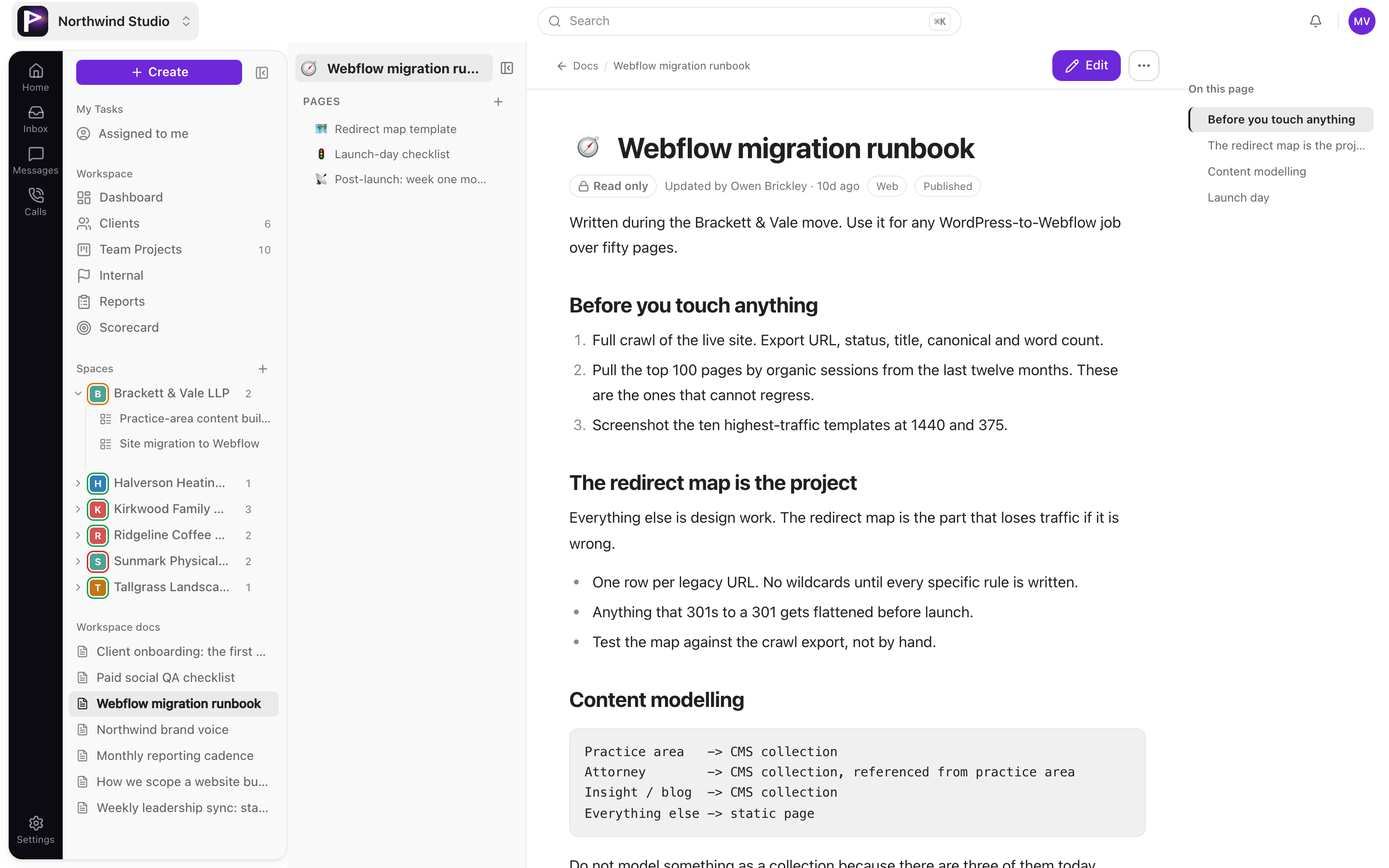
Docs and SOPs

The process lives next to the work it describes, so nobody hunts through a shared drive for the checklist.

  • Markdown editor with live presence
  • Filter by recent, shared with me, or written by me
  • Notes and SOPs kept as separate kinds, both searchable
The docs library with notes and SOPs

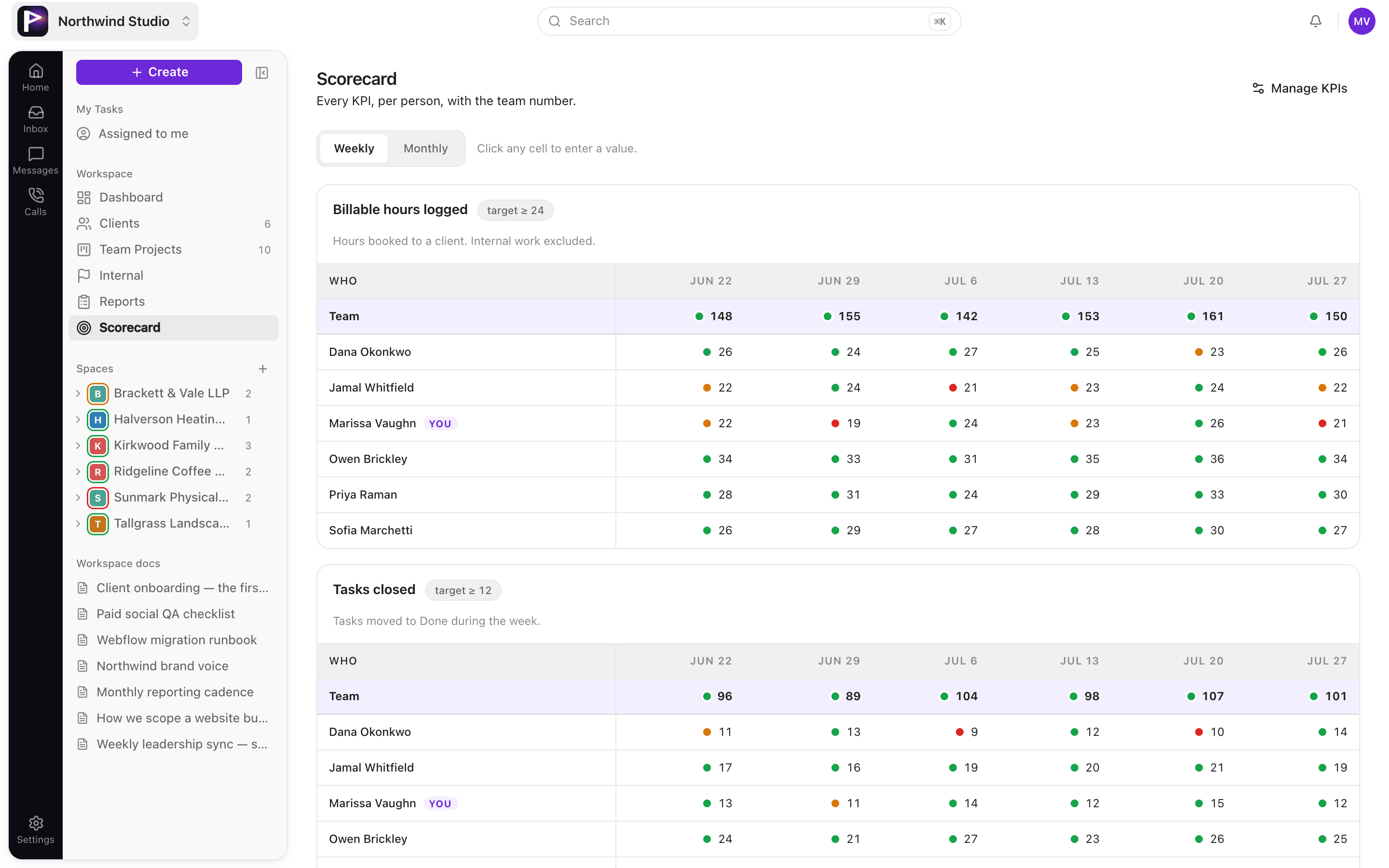
KPI scorecard

Targets instead of vibes. Each metric knows which direction is good and gets scored against it.

  • Higher is better, lower is better, or inside a range
  • Units for currency, percent, count, days or minutes
  • Colour-coded against target, edited in place each period
The KPI scorecard with metrics colour-coded against target

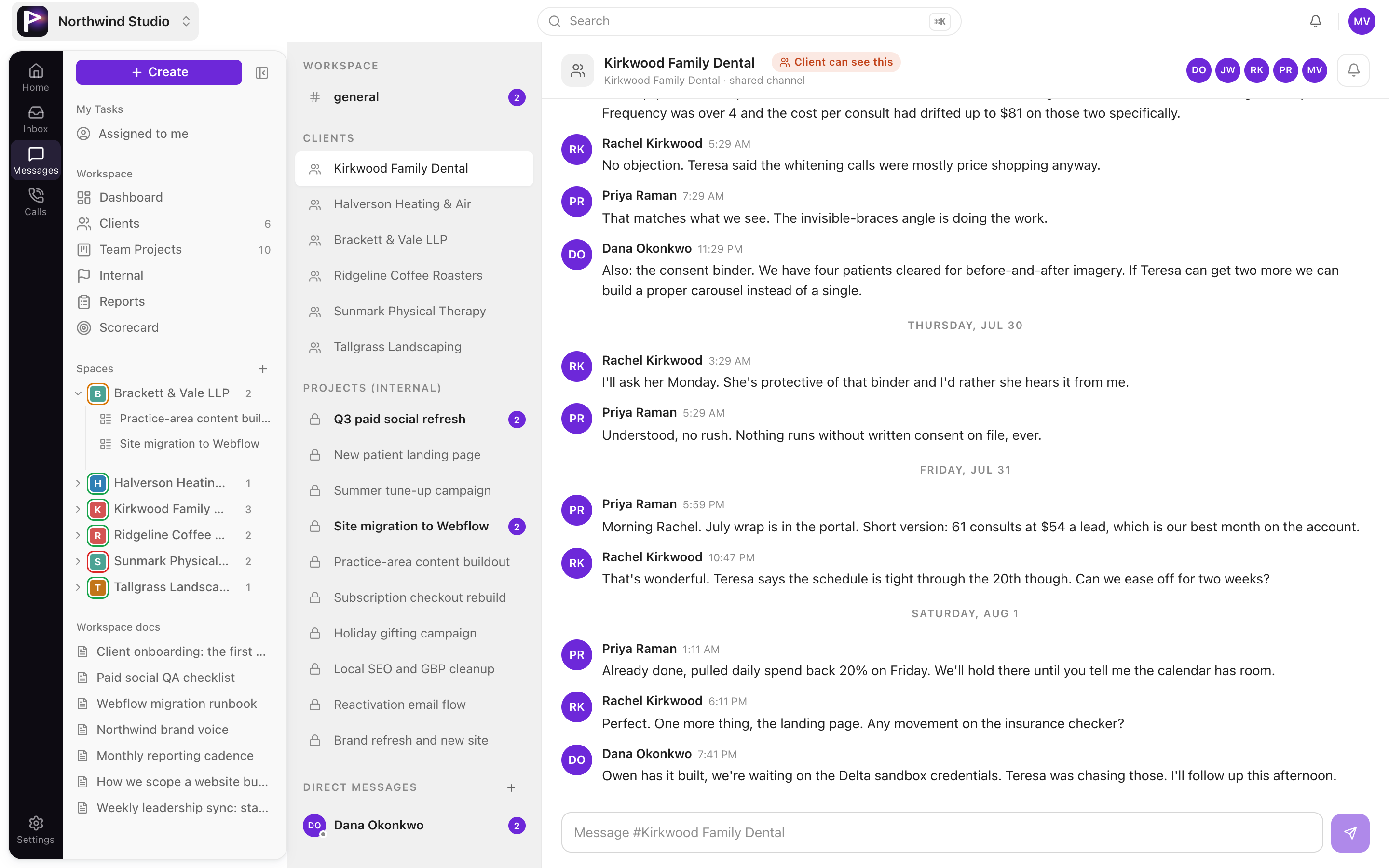
Messages, calls and daily reports

The context that usually dies in a DM thread, attached to the project it belongs to.

  • Channels per project for the team, per client for the client
  • Call recordings and transcripts on the project, once Fathom is connected
  • Start and end of day reports, one per person per day
Team and client channels in the messages view
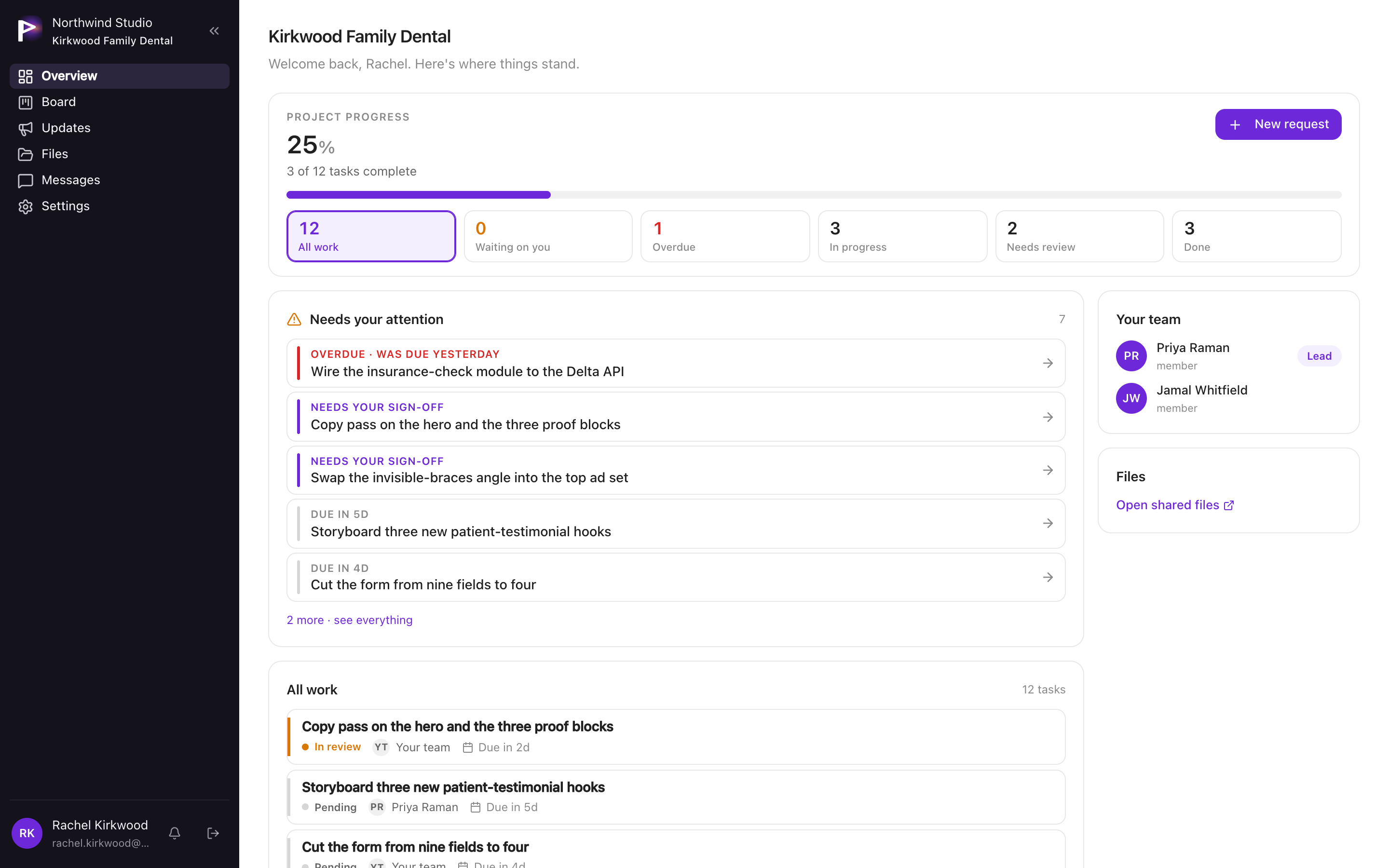
The client portal board as a client sees it

Your client logs in and sees their project. Nothing else.

The portal is its own surface with its own board, files, messages and updates. Membership decides what loads, so there is no setting to get wrong and no way for one client to see another client's work.

Book a demo

What a client can do, and what they cannot.

Worth reading before you decide. Most agencies are nervous about giving clients a login, and the honest answer is that the walls are in specific places.

They can

  • See their board across pending, in progress, review and done
  • Comment on any task
  • Open a new request, which lands as a task for your team
  • Reorder their own list
  • Download files shared on their projects
  • Message your team in their own channel
  • Read the updates your team publishes

They cannot

  • Edit, move or close a task
  • See the internal notes your team keeps on them
  • See any other client's work
  • Invite anyone
  • Reach your team's project channels
  • Change project or workspace settings

Connects to

It plugs into what you already run.

GitHub, Vercel and Cloudflare are read-only. Slack only receives notifications. Nothing here can change your data in another tool.

GitHub
Vercel
Cloudflare
Slack
Anthropic
Google Gemini

Fathom brings call recordings and transcripts onto the project. Five AI agents cover call scoring, client health, marketing, funnel and proposal work, and they run on your own provider keys in the fallback order you set. Leave those keys blank and the rest of Praxis behaves exactly the same.

Straight answers.

If something here rules you out, better to find out now than on the call.

No time tracking, no invoicing, no automations, no timeline or Gantt view, and no custom fields on tasks. Those are real gaps rather than roadmap language. If your agency bills by the hour and needs that inside the same tool, Praxis is the wrong fit today.

Your workspace name, your logo and your sidebar theme, on both the staff app and the client portal. That is what your clients see. The Praxis name still appears in system emails and the browser tab. If you need that gone too, raise it on the call and I will tell you what it actually takes.

By hand, on a call. There is no self-serve signup. I create your workspace, load your clients and projects, invite your team, and you are invoiced off-platform. That is deliberate for now.

Yes. Clients sign in with a magic link sent to their email. Your staff use passwords.

Every agency is its own tenant, and row-level security is on for every table in the database rather than enforced in application code. A query that is not scoped to your workspace returns nothing.

It depends on your team size and how much setup you want me to do. Working that out is most of what the first call is for.

See it with your own clients in it.

Thirty minutes. I load two of your live projects into a workspace first, so you are looking at your own work instead of a demo account.